Contacts
- 4.4
- Rating
- 1.00M
- Installs
- Free
- Price

 Analysis by App-foxy
Choosing a new phone and contacts app sounds simple until the small daily annoyances start adding up: unfamiliar callers, duplicated entries, awkward contact searches, and a call screen that does not help you decide what to do next. I spent time using Contacts as a practical communication tool rather than judging it only by its name. My impression is that it is aimed at people who want one place for dialing, contact management, caller identification, and protection from unwanted calls, without paying to try it.
That combination makes the app more interesting than a basic address book. It is published by Phone Dialer App and belongs to the Communication category. The app is free, rated for Everyone, and supports Android devices starting with version 7.0. Its current version is 17.7.17, and it has already passed one million installs. A 4.4 average from around 6,200 ratings suggests that many users find the central idea useful, although an average score alone cannot tell you whether it suits your particular calling habits.
What I looked for before recommending it
My first decision criterion was speed. A phone app should make it easy to find a person, start a call, and return to recent conversations without making me think about where each function lives. Contacts tries to cover those jobs together. That can be convenient, but it also means the app has more responsibilities than a simple contacts list, so the quality of its layout matters just as much as the number of tools it offers.
You May Also Like

 Blood Strike: 2.5 Anniversary
Blood Strike’s Loadouts Turn Every Drop Into a Tactical Gamble
A close look at Blood Strike’s custom loadouts: how fast access to signature weapons reshapes its battle royale rhythm, rewards preparation, and narrows the gap between fights.

 Pandora - Music & Podcasts
Pandora’s Music Is Easy to Start, but Harder to Recover
Pandora’s strength is its low-effort path from a seed to a station. Its weak spot is how much confidence it asks you to place in connection, setup, and quiet recovery.

 8 Ball Pool
 Is Built on Rivalries, Rematches, and Routine
A close look at the rivalries, rematches, shared routines, and unanswered safety questions that turn a quick pool match into a persistent mobile community.

 Samsung Music
’s Quiet Strength Is Playing What You Already Own
Its reach comes less from spectacle than from dependable access to a personal library. That simplicity is both the app’s strongest retention engine and its ceiling.

 AccuWeather: Weather Radar
AccuWeather Review: A Quick, Clear Forecast for Everyday Decisions
For everyday plans, the best forecast is the one you can understand quickly. AccuWeather makes rain timing, radar, and local conditions easy to act on, with a few trade-offs.

 Hill Climb Racing
Why Hill Climb Racing Still Turns Crashes Into One More Run
A tiny car, a bumpy hill and one more upgrade: Hill Climb Racing keeps resurfacing because its simple chaos makes every near-miss feel personal.
More From Our News Desk



I also paid attention to the difference between managing known people and handling unknown numbers. Those are separate problems. A good contact manager helps me keep names and numbers organized; a caller ID and spam-blocking tool helps me make a safer decision when a number is not already saved. Combining them is useful when the app keeps the experience clear. It becomes less appealing if extra call-related controls slow down the basic action of dialing somebody I already know.
Another practical question is whether switching is worth the effort. Most people already have contacts stored on their phone, and they may already be comfortable with the default dialer. I would not change apps merely because a replacement has a longer feature description. I would switch when the replacement solves a recurring problem, such as sorting through an overcrowded contact list or dealing with suspicious calls often enough that a dedicated interface saves time.
Finally, I considered who should avoid it. Someone who wants the most minimal possible phone interface may prefer the built-in Android tools. Likewise, people who are extremely cautious about giving a third-party communication app a central role should take time to review the access and call-related settings shown on their device before making it the default. The app is most convincing for users who value convenience and organization more than absolute simplicity.
A single workspace for everyday calling
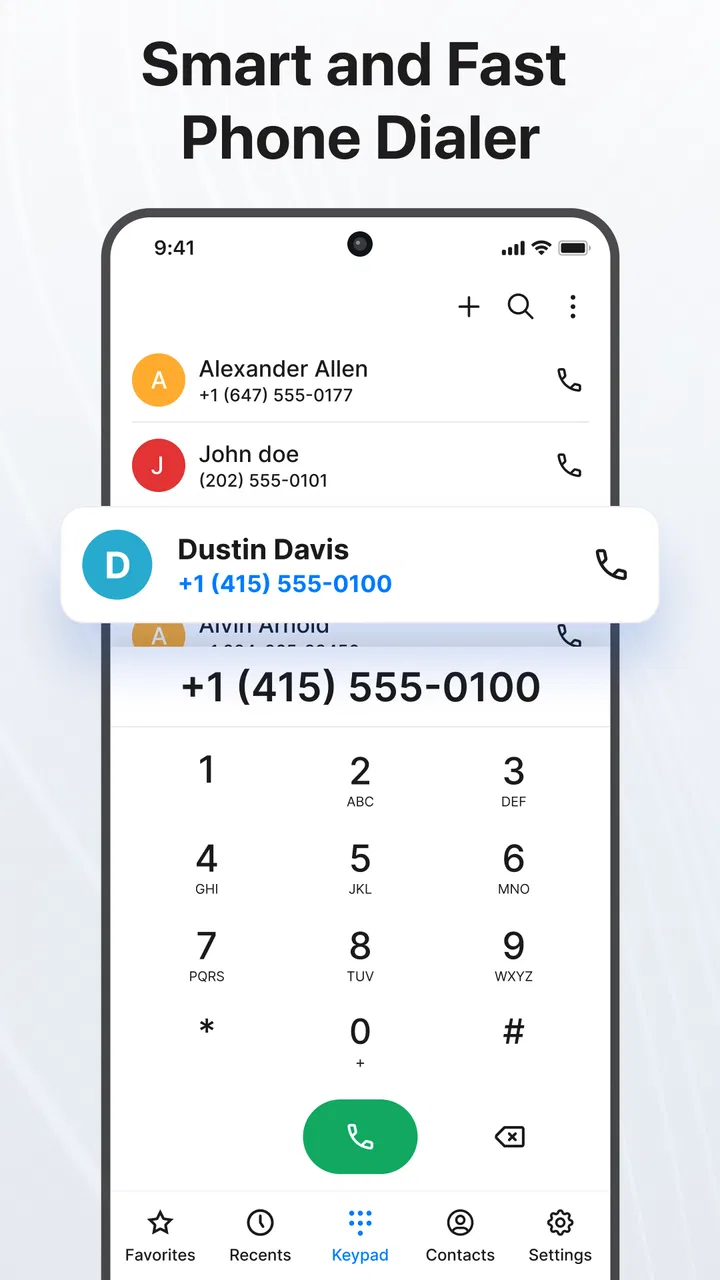
The strongest part of Contacts is the way its purpose is easy to understand: it brings the phone book, dialing experience, contact management, caller identification, and spam-call blocking into one communication-focused app. I found that approach more useful than jumping between a contacts screen, a separate dialer, and another tool whenever an unfamiliar number appeared.
This matters during ordinary moments, not just unusual ones. Imagine leaving work while waiting for a delivery call. An unknown number rings, and you need to decide whether to answer immediately. A caller ID feature can provide useful context, while a spam-blocking option gives you another way to deal with calls that look unwanted. If the call is legitimate, you can then save the number and keep it with the rest of your contacts instead of leaving it buried in recent calls.
The same workflow works in reverse. If I remember only part of a person’s name, I want to search the contact list rather than scroll through every entry. Once I find the person, the app’s phone-centered design keeps the next step obvious. This is a small advantage, but it is the kind of small advantage that becomes noticeable when repeated many times a day.
The real strength is not one isolated tool; it is the reduced friction between finding a person, deciding whether to answer, and managing the number afterward. That makes the app a better fit for active callers than for someone who rarely uses the phone function at all.
Why the caller ID and blocking angle matters
Many contact apps stop at names and numbers. Contacts goes further by presenting itself as a caller ID and spam call blocker as well. In my view, this changes how the app should be judged. The question is not simply whether it stores a number correctly. It is whether it helps me make a quick decision when a call interrupts something else.
There is a useful distinction here. Caller identification can help me recognize a number, but it should not automatically make me trust every caller. I would still treat an unfamiliar call carefully, especially if the caller asks for personal details or urgent payment. The app can support my decision; it cannot replace common sense. That is an important limitation for anyone expecting spam blocking to eliminate every unwanted call.
I also recommend checking the blocking controls after setup rather than assuming the default behavior is exactly what you want. A person who receives frequent promotional calls may prefer a more defensive approach, while somebody waiting for calls from new customers may want to avoid aggressive filtering. The best setting depends on whether missing a legitimate unknown call would be more troublesome than answering an unwanted one.
For families, older relatives, or anyone who dislikes complicated phone menus, the appeal is easy to understand. A caller-related warning can reduce hesitation, and a more organized contact screen can make repeat calls less stressful. Still, I would introduce the app gradually: first confirm that important contacts are visible, then review the call-handling choices, and only afterward rely on its blocking features.
Small workflows that make the app more useful
One practical workflow is contact cleanup before relying on search. If your phone book contains old entries, inconsistent names, or several versions of the same person, a new dialer cannot magically make those records perfect. I would use the app as an opportunity to review the people I contact most, standardize their names, and remove entries that no longer help. The payoff is faster searching and fewer mistakes when calling from a crowded list.
A second useful habit is saving an unknown number only after deciding that it is worth keeping. Caller ID and recent calls can tempt people to save everything immediately. I prefer to wait until I know who the caller is, then add a clear name that will make sense later. This keeps the contact manager from filling up with vague entries and makes future caller recognition more useful.
A third trade-off involves blocking. Blocking is most helpful when it removes a repeated nuisance, but it can become inconvenient if used without thought. Before blocking a number permanently, I would consider whether it might belong to a school, clinic, courier, workplace, or service provider that uses changing numbers. A safer workflow is to save important organizations with descriptive names and use the app’s identification and call history to distinguish them from genuinely unwanted callers.
There is also a simple search tip that is easy to overlook: think of the contact list as a working directory, not just storage. Adding a useful label to a saved number can make a future search faster than trying to remember which person used that number. This is especially helpful when several people share a first name or when one contact has separate personal and work numbers.
What the adoption figures tell me—and what they do not
Contacts has more than one million installs, which tells me it is not an obscure experiment that only a handful of people have tried. It also has 104 written reviews alongside its broader rating activity. I see that as enough public interest to take the app seriously, but not as a reason to assume every phone model or calling routine will feel identical.
The app was released on February 7, 2024, so its relatively recent position may appeal to people looking for a current alternative rather than an old-fashioned address book. At the same time, a newer app can require more personal testing than a tool you have used for years. I would judge it by how reliably it handles your own contact list and calling habits, not by its install count alone.
Where the usual alternatives may fit better
The default phone and contacts apps remain strong alternatives for users who want the fewest moving parts. They are already familiar, usually integrated into the device, and often sufficient for calling saved contacts. If your main need is simply to dial people you know, Contacts may feel like more app than you need.
A separate caller ID or spam-focused service may be a better fit for someone who is happy with the existing dialer but receives a high volume of unknown calls. That approach can keep the familiar phone interface while adding specialized protection. The trade-off is that your contacts, calls, and filtering experience may be divided between different tools instead of being handled in one place.
People who manage a large professional address book may also prefer a dedicated contact-management solution designed around detailed records, groups, or business workflows. Contacts is more naturally suited to everyday phone communication. I would not choose it solely because it mentions contact management if what you really need is a full customer database or a complex team directory.
There is a similar choice for privacy-minded users. A basic built-in dialer may offer a narrower experience that feels easier to understand. With a third-party communication app, I would review the permissions and call-related access requested during setup and decide whether the convenience is worth that level of integration. This is not a criticism unique to Contacts; it is the normal consideration when replacing a system communication tool.
How difficult is switching?
The cost of switching is mostly behavioral rather than financial because the app is free. You need to learn where its contact search, caller identification, and blocking controls sit, and you may need to decide whether it should become your preferred phone app. That learning curve is manageable, but it is still a cost for anyone who is already satisfied with the default experience.
I would begin with a short trial rather than changing every calling habit at once. Use it to look up frequent contacts, handle a few recent calls, and inspect how unknown numbers are presented. Then check whether your important names and numbers appear as expected. This approach makes it easier to notice a genuine improvement without turning a simple phone change into a disruptive project.
Before committing, I would also make sure I understand how I can return to the phone’s original dialer if the new workflow is not comfortable. That is particularly sensible for people who depend on calls for work or caregiving. A replacement should earn its place through daily usefulness, not because switching feels irreversible.
On compatible Android devices, the minimum operating-system requirement is Android 7.0, which gives the app a broad potential reach across older phones as well as newer ones. Compatibility alone does not guarantee an identical experience, though. Screen layouts, phone manufacturers, and existing system settings can influence how a communication app behaves, so I would test the actions that matter most to you instead of assuming every device will feel the same.
My recommendation for different kinds of users
I recommend Contacts to Android users who want more than an address book and who regularly deal with unknown or unwanted calls. It is especially appealing if you like the idea of keeping contact search, dialing, caller identification, and spam blocking close together. The free price makes trying it low-risk, and the Everyone content rating makes it suitable for a broad audience.
I would be more cautious about recommending it to someone who rarely makes calls, has a tiny and tidy contact list, or prefers the phone’s original interface. In that situation, the extra layer may not save enough time to justify changing familiar habits. I would also steer users with demanding professional contact-management needs toward a tool built specifically for those workflows rather than treating this as a full business database.
My own decision comes down to a simple question: do unwanted calls and messy contact handling interrupt your day often enough that one combined communication app would help? If the answer is yes, Contacts is worth testing. If the answer is no, the default tools may remain the cleaner choice.
Overall, I see this app as a practical middle ground. It is broader than a standard dialer but less specialized than a dedicated business contact system. Its best value appears when I use it deliberately: clean up important contacts, review caller-related controls, save only numbers that matter, and avoid treating automatic identification as proof that a caller is trustworthy. With those expectations, Contacts is a sensible free option for making everyday calling more organized and less distracting.
FAQs for Contacts
01What features does the Contacts app offer beyond basic contact management?
The Contacts app provides a robust set of features, including easy import and export of contacts, integration with email and social media, customizable contact fields, and advanced search capabilities. It also offers backup and synchronization across devices, ensuring your contacts are always up-to-date and accessible, no matter where you are.
02Is the Contacts app secure and how does it protect my personal information?
Yes, the Contacts app is designed with security in mind. It uses encryption to protect your data both in transit and at rest. Additionally, it offers options for two-factor authentication and regular security updates to safeguard your personal information from unauthorized access and potential breaches.
03Does the Contacts app support integration with other apps and services?
The Contacts app supports integration with a wide range of apps and services, including popular email clients, messaging apps, and social media platforms. This seamless integration allows for efficient communication and easy import of contact information from various sources, streamlining your contact management experience.
04Can I customize the Contacts app to suit my specific needs?
Absolutely! The Contacts app allows for extensive customization. Users can create custom fields, organize contacts into groups, and apply personalized labels. The app also offers various themes and layout options to tailor the user interface to your preferences, enhancing usability and functionality.
05How does the Contacts app handle large volumes of data and does it affect performance?
The Contacts app is optimized to handle large volumes of data efficiently. It employs advanced indexing and search algorithms to ensure fast access and retrieval of contact information, even with extensive contact lists. Regular updates and performance enhancements help maintain smooth operation without lag or slowdowns.
Pros
- Intuitive user interface for easy navigation.
- Seamless integration with Google accounts.
- Customizable contact organization features.
- Efficient search and filter functions.
- Frequent updates with new features.
Cons
- Limited customization for contact themes.
- Occasional sync issues with cloud services.
- No advanced contact analytics available.
- Ads may appear in free version.
- Requires internet for full functionality.

Contacts
Gallery